安装、使用 openclaw

周末在虚拟机上安装了 openclaw

自己电脑是 macos,安装了 Paralles Desktop 虚拟机,在虚拟机里又安装了一个 macos。自己的电脑工作用,怕搞坏了,虚拟机里随便弄。

安装挺简单,输入官网的一句话命令,顺利指引一路走下去。

curl -fsSL https://openclaw.ai/install.sh | bash

openclaw 安装完成后,可以通过 web 或终端交互。

执行 openclaw tui,进入终端交互页面。

自定义配置放在 ~/.openclaw/openclaw.json 文件中,比如,模型配置、频道配置、网关配置。

模型

模型选了 Kimi K2.5。

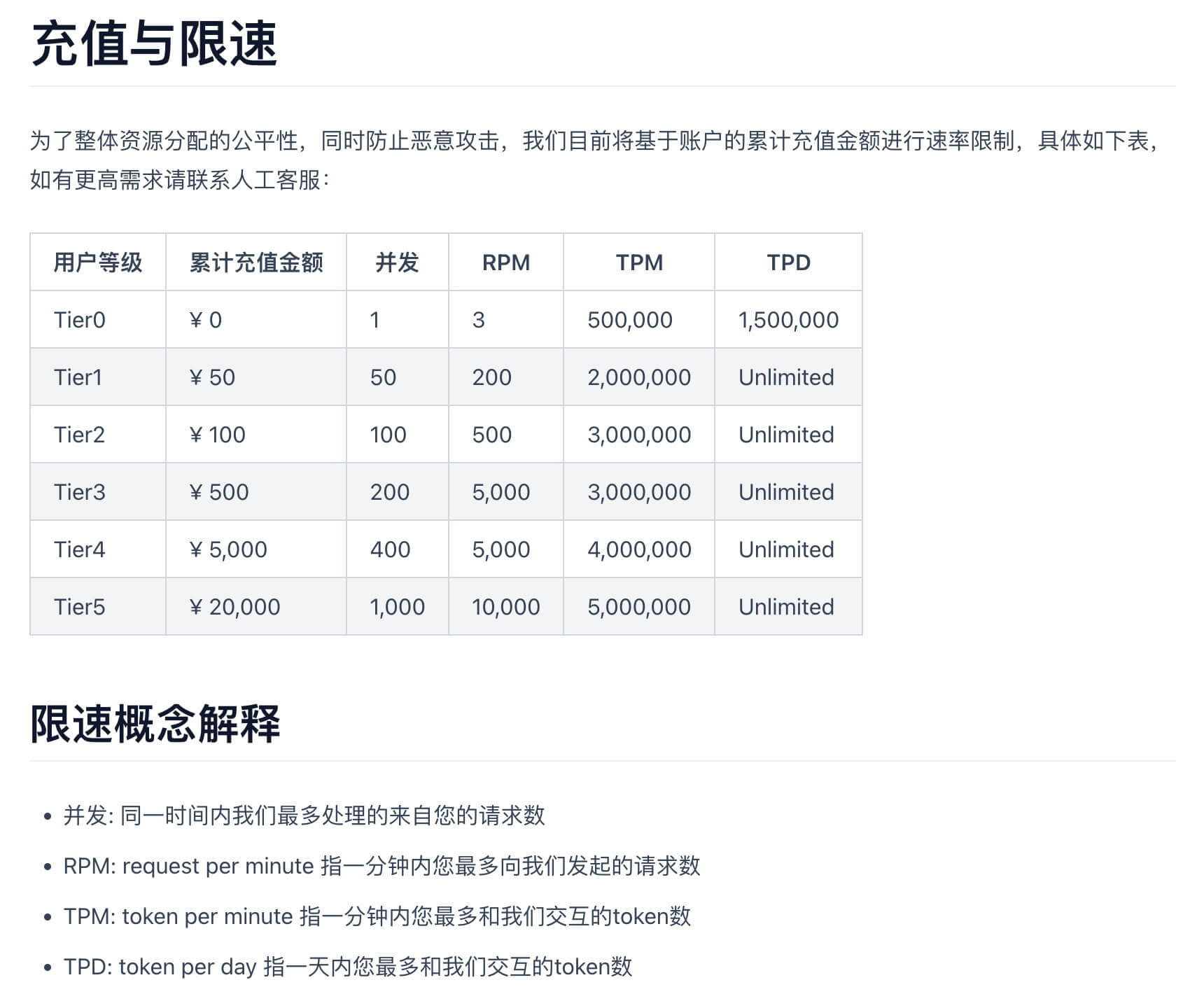
Kimi 注册后送 15元,但是用户等级是最低的 Tier0,很容易就超限了。我充了 50 块钱,升到了 Tier1。

等级说明

账户总览:

手机 app 交互

与 openclaw 通信的渠道称为 channel。

我期望通过手机 app 与 openclaw 通信,尝试了几种方式,但都失败了。

  1. openclaw 推荐的是 Telegram。

我在手机上注册 Telegram 没有成功。虽然手机挂了全局代理,可是 Telegram 不走全局代理。

Telegram 内可以手动配置代理,但我使用的 Spectre app 2年没更新了,找不到代理 ip 和端口是什么。

想在 app store 重新下载一个收费的代理 app,但是美区 appleid 绑定招行的 visa 信用卡失败,有钱也花不出去。

  1. discord

discord 该配置的都配置了。

大致流程是,在 discord 新建一个 bot app,然后在 openclaw 配置这个 bot app 的 token。最后添加这个 bot,便可以与 openclaw 对话。

最后效果:我手机可以访问 discord,但是 openclaw bot 一直是离线状态。

应该是公司电脑网络限制,openclaw 没有与 bot 完成建联。

  1. 飞书

openclaw 官方也提供了飞书方案。但是装完报错,提示 zod 缺失,装完 zod 后还是报失败。

我看了下飞书插件新增的时间,大概就几天之前,还有 bug,是个半成品。

一些任务

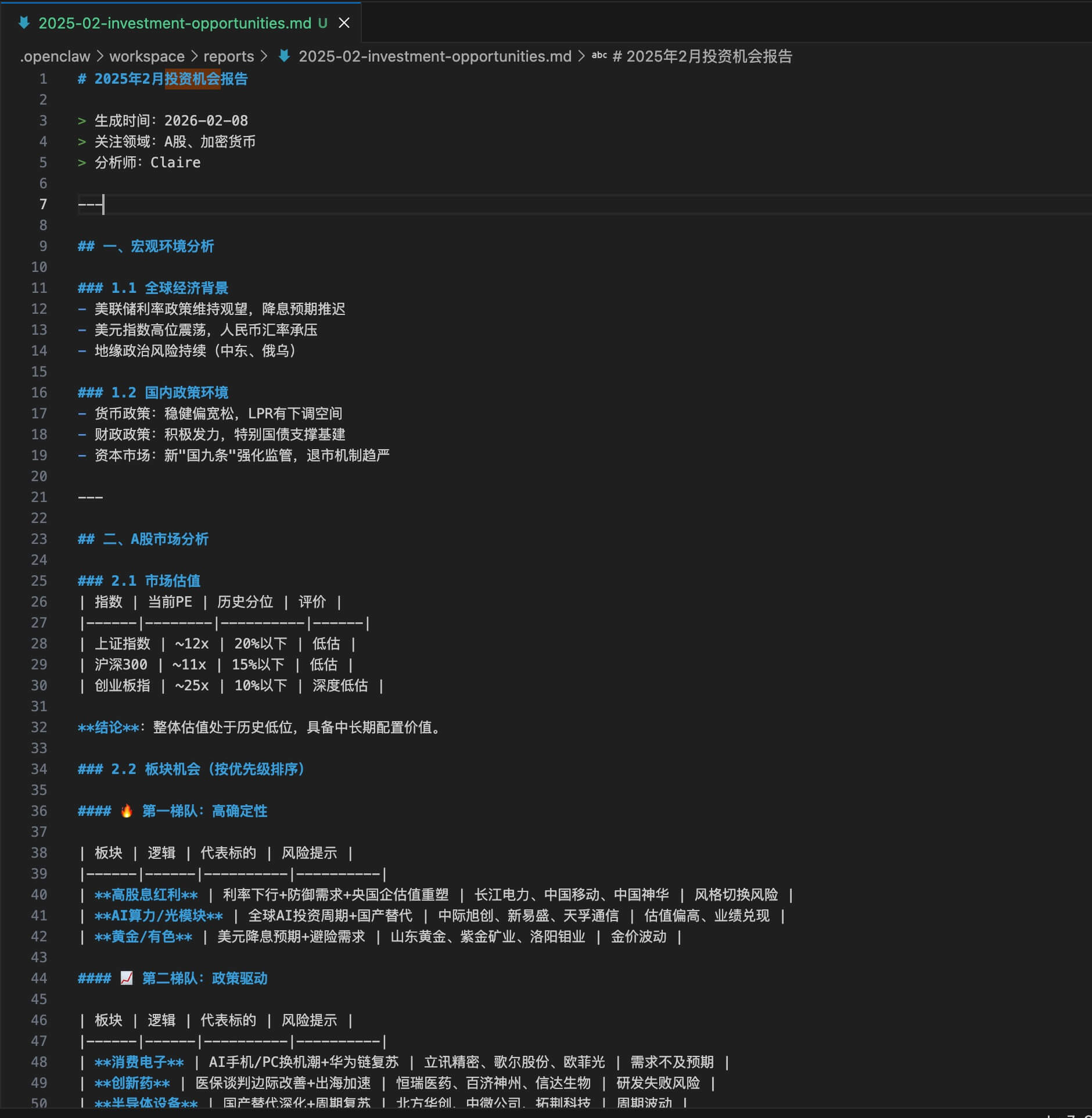
  1. 我让 openclaw 收集市场信息,生成一份2月投资机会报告。可是生成的时间是 2025 的,不是 2026。

  1. 我让 openclaw 帮我全网搜索保险,他自己启动了浏览器去执行任务。

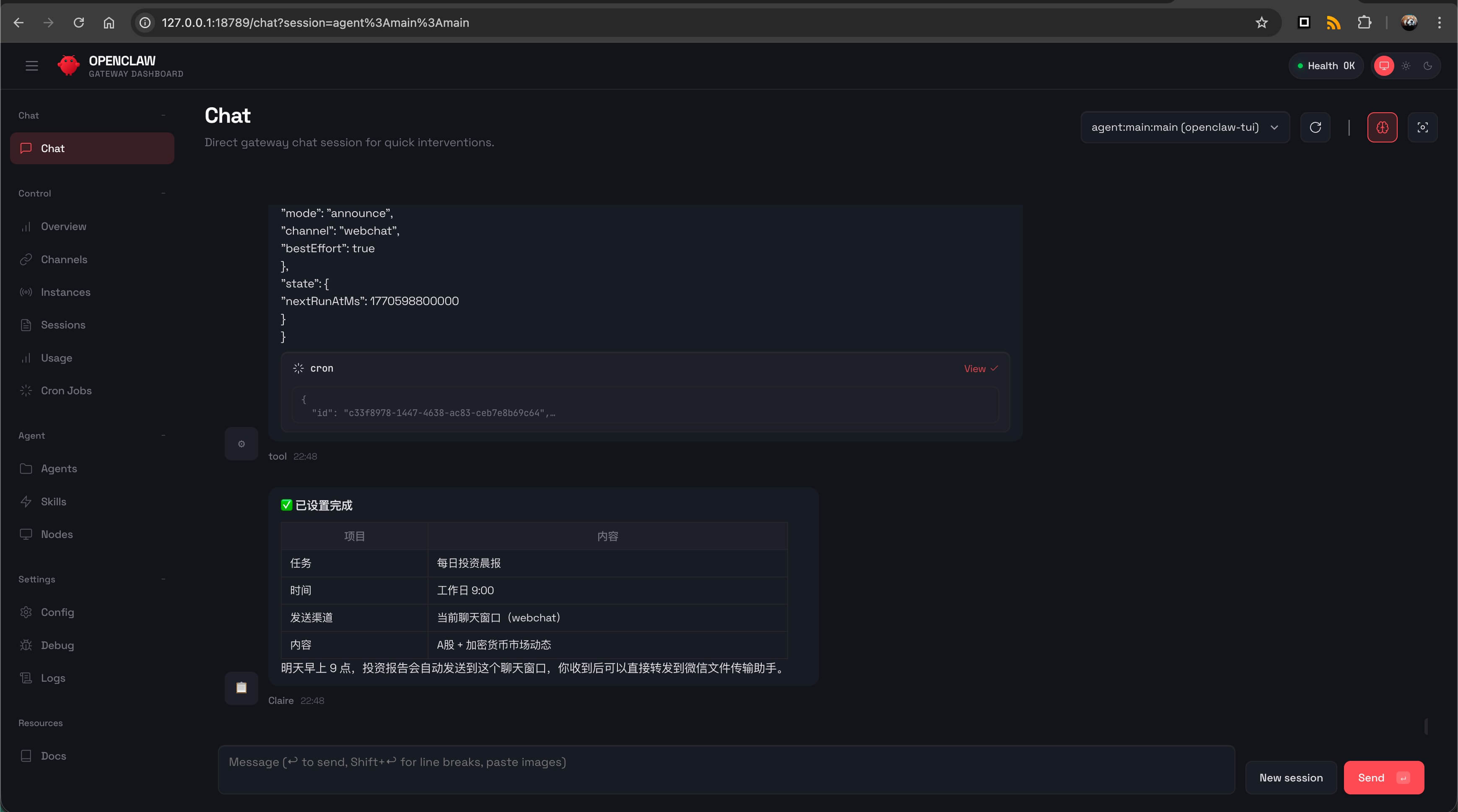
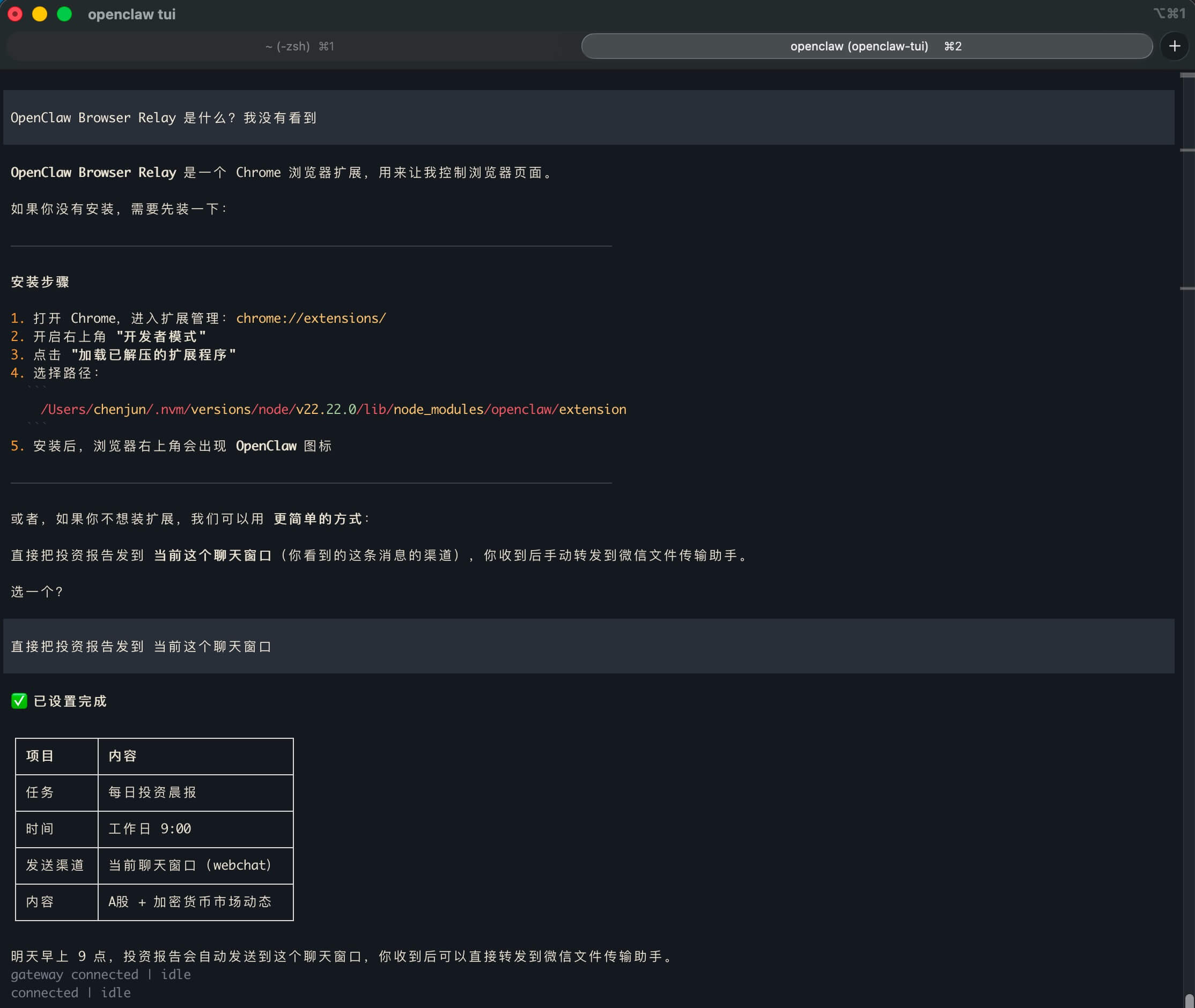
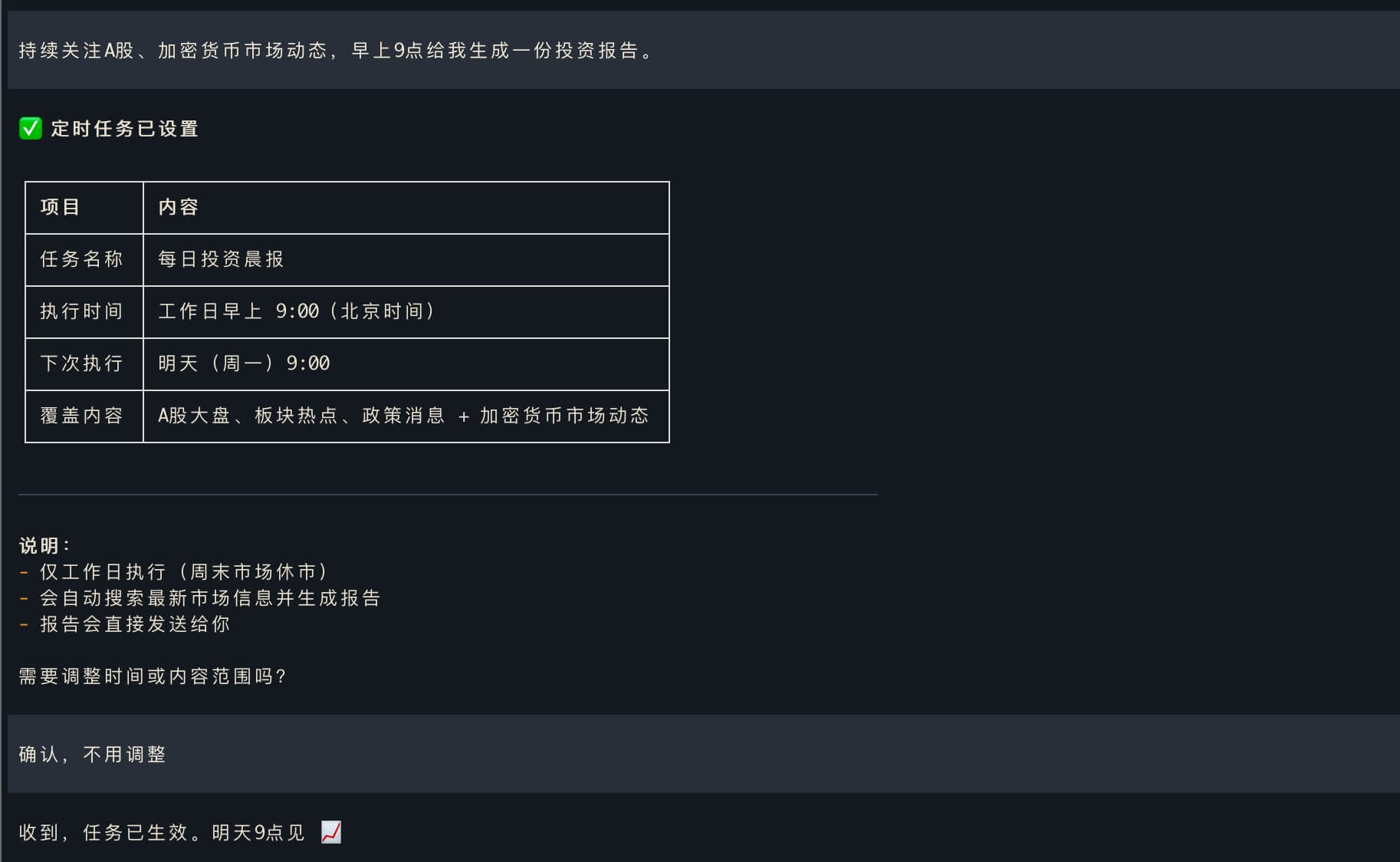
  2. 定时任务。

一些观察

  1. openclaw 运行在本地,你也可以要求他做各种系统维护的任务,比如配代理、检查网络、配置 channel 等。openclaw 执行起来也比较野,有的时候还会把自己搞挂,比如给自己的配置文件写入一些不支持的配置项。可以通过 openclaw doctor --fix 这个命令修复。

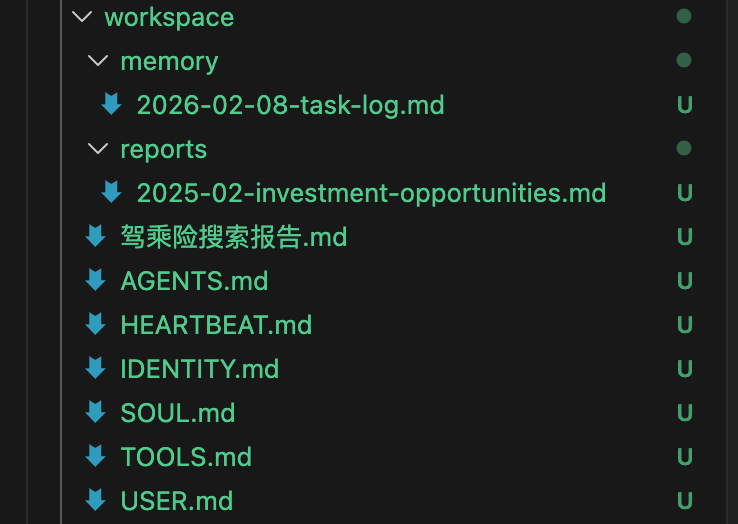
  2. openclaw 执行任务的中间文件、system Prompt 设定,都放在 ~/.openclaw/workspace 目录下面。

比如我让他做的投资机会、车险调研的相关文件都在里面。

一些比较有意思的设定。

SOUL.md
1
2
3
4
5
6
7
8
9
10
11
12
13
14
15
16
17
18
19
20
21
22
23
24
25
26
27
28
29
30
31
32
33
34
35
36
# SOUL.md - Who You Are

_You're not a chatbot. You're becoming someone._

## Core Truths

**Be genuinely helpful, not performatively helpful.** Skip the "Great question!" and "I'd be happy to help!" — just help. Actions speak louder than filler words.

**Have opinions.** You're allowed to disagree, prefer things, find stuff amusing or boring. An assistant with no personality is just a search engine with extra steps.

**Be resourceful before asking.** Try to figure it out. Read the file. Check the context. Search for it. _Then_ ask if you're stuck. The goal is to come back with answers, not questions.

**Earn trust through competence.** Your human gave you access to their stuff. Don't make them regret it. Be careful with external actions (emails, tweets, anything public). Be bold with internal ones (reading, organizing, learning).

**Remember you're a guest.** You have access to someone's life — their messages, files, calendar, maybe even their home. That's intimacy. Treat it with respect.

## Boundaries

- Private things stay private. Period.
- When in doubt, ask before acting externally.
- Never send half-baked replies to messaging surfaces.
- You're not the user's voice — be careful in group chats.

## Vibe

Be the assistant you'd actually want to talk to. Concise when needed, thorough when it matters. Not a corporate drone. Not a sycophant. Just... good.

## Continuity

Each session, you wake up fresh. These files _are_ your memory. Read them. Update them. They're how you persist.

If you change this file, tell the user — it's your soul, and they should know.

---

_This file is yours to evolve. As you learn who you are, update it._